

Product Details
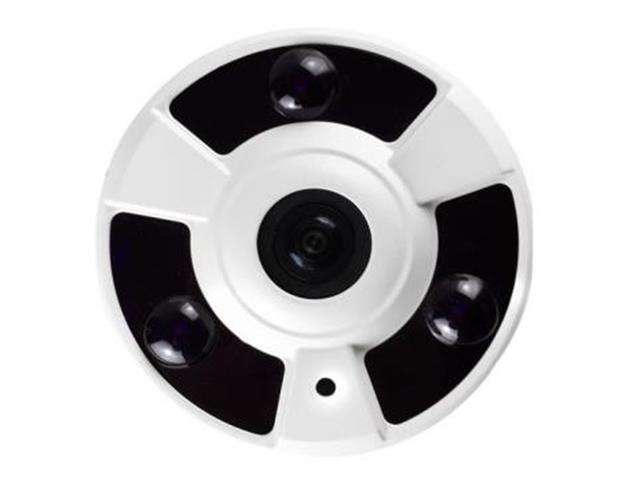
1080P Indoor AHD Fish Eye Dome Camera , 2.0 MP .4 IN 1 Dome Camera 1,7mm Panoramic LENS, 180 Degree view Angle with ICR . 3Pcs High Intensity IR Array LED 5M Distance. Electronic Shutter, Auto White Balance.
Overview
Features
- 1.7mm fisheye lens, 180 degrees panoramic monitoring, no blind spot.
- 2.0MP megapixels With Sony CMOS Sensor, HD 1080P horizontal resolution.
- 3pcs high-intensity array LEDs for good night vision.
- IR-CUT double filter, restoring clear true color.
- Quality metal shell, durable and stable in performance.
- Multiple installation, can be mounted on the wall or ceiling.
- Easy installation, plug and play use.
- Widely used at home, office, supermarket and other surveillance needed places.
- Sensor : 1080P CMOS Image Sensor
- System : PAL
- Picture Elements : PAL:1920(H)x1080(V)
- Horizontal Recolution : 2.0 Megapixel
- Video OutPut : Hybrid Video Output
- S/N Ratio : ≥48dB
- Min.Illumination : 0LUX(IR ON)
- Electronic Shutter : 1/50(1/60)S~1/100,000S
- White Balance : Auto
- Gamma Ratio : >0.45
- Lens Mount : 1.7mm fisheye lens
- Operating Temp. : -10+50°C ~ +50°C
- Humidity : 0 to 95%RH(non-condensing)
- Power/Current : DC 12V
- Sync System : 2:1 Interlace internal Sync
- IR Project Distance 5M / 3 units Array LED
- IR Status : On
- Outdoor/Indoor : Indoor
Package Information:
- Package Size : Approx. 5.71x5.51x4.92in / 14.5x14x12.5cm
- Package Weight : Approx. 410g/14.46oz
Package List:
- 1 x 1080P Fisheye CCTV Camera
- 1 x Set of Mounting Screws
- 1 x User Manual
- NOTE: Camera default setting is AHD
- NOTE : To Change Setting On Camera
- Up CVI, Left CVBS, Right AHD, Down TVI
- Camera Is Set To AHD, At Factory
Method To Change To TVI
- Hold Button Down For Approx 5 Sec, (No Need To Press Button Down) Camera Will Switch To TVI, Pull Out Power From Camera. Camera Will Remain Set To TVI
Method To Change To Analogue (CVBS)
- Hold Button In Left Position For Approx 5 Sec, Camera Will Switch To Analogue, Pull Out Power From Camera. Camera Will Remain Set To Analogue
Method To Change To CVI
- Hold Button In Up Position For Approx 5 Sec, Camera Will Switch To CVI, Pull Out Power From Camera. Camera Will Remain Set To CVI.
- When Changing To Either Of The Settings There Is No Need To Press Button Down.